




What if one simple post could introduce you to hundreds of local families?
Not through a generic real estate graphic.
Not by asking strangers whether they are thinking about buying or selling.
And not by spending weeks creating a complicated lead magnet that nobody downloads.
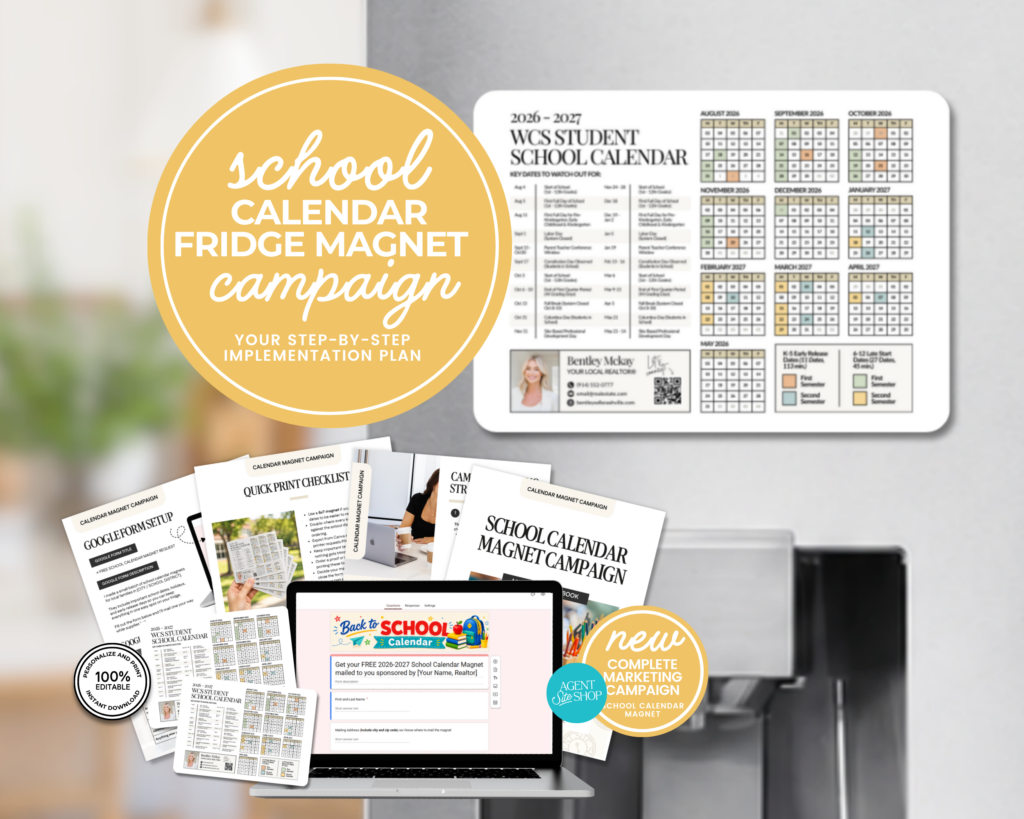
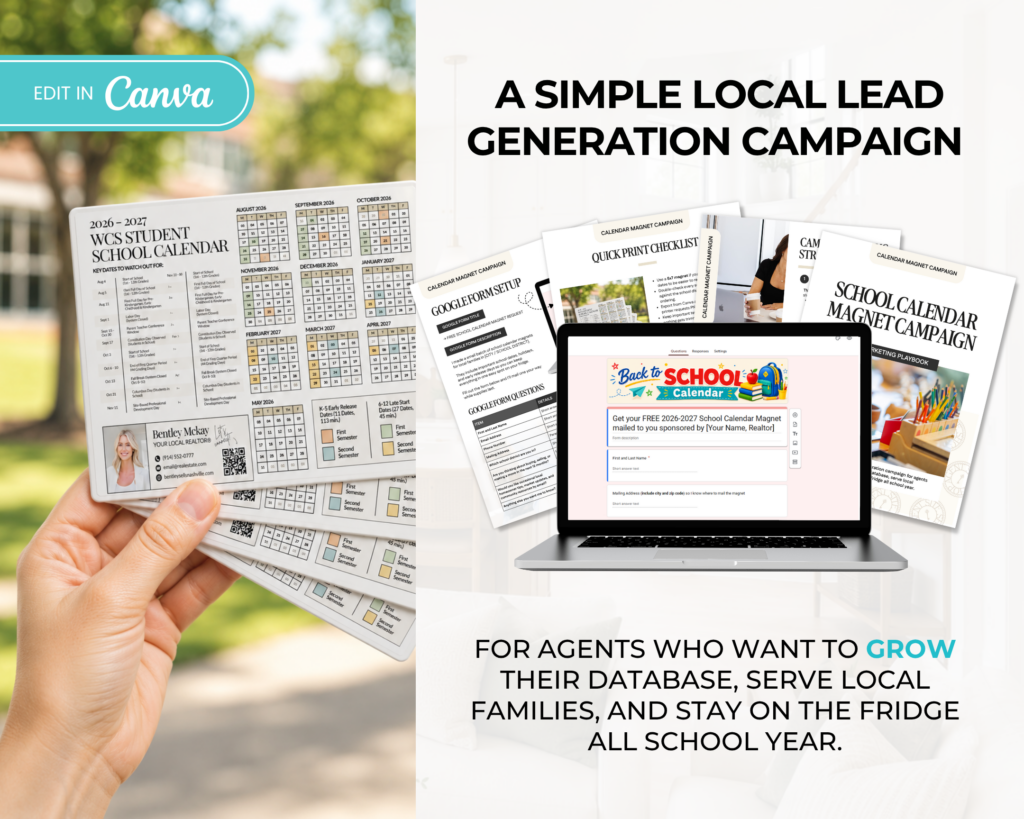
Instead, you offer local parents something simple, useful, and relevant: a school calendar magnet customized with the important dates for their school district.
Parents request one.
You collect their contact information.
You deliver something they may keep on their refrigerator throughout the school year.
And you now have a natural opportunity to begin building a relationship with someone in your local market.
That is the strategy behind a school calendar magnet campaign.
The magnet gets people interested, but the campaign surrounding it is what turns a useful giveaway into a real database-building opportunity.
In this guide, I’m breaking down exactly how real estate agents can create, promote, deliver, and follow up on a school calendar magnet campaign.
Why School Calendar Magnets Work for Real Estate Agents
The average real estate post asks the audience to care about something that may not be relevant to them right now.
A new listing may only matter to someone actively searching for a home.
A home valuation post may only appeal to someone considering selling.
A market update may be helpful, but it does not always give someone a strong reason to share their information.
A school calendar is different.
It can be immediately useful to local families, regardless of whether they are planning to move this month, next year, or several years from now.
Parents need to keep track of:
- School holidays
- Teacher workdays
- Early-dismissal days
- Fall, winter, and spring breaks
- Parent-teacher conference dates
- Testing dates
- The first and last days of school
Instead of repeatedly checking the district website, they can keep the important dates directly on their refrigerator.
That usefulness is what makes the magnet appealing.
You are not leading with real estate.
You are leading with something that makes a local family’s life slightly easier.
The Magnet Is Only the Front End
It is tempting to think the campaign is as simple as designing a calendar, printing it, and posting a picture.
But the magnet is only one part of the strategy.
A complete campaign needs:
- A useful and accurate calendar
- An attention-grabbing promotional post
- A simple way for people to request one
- A system for collecting and organizing information
- A delivery plan
- A follow-up process
- A long-term nurturing strategy
Without those pieces, you may have a nice calendar but no clear way to turn interest into actual contacts and relationships.
The goal is not simply to give away magnets.
The goal is to create a helpful local experience that gives people a reason to enter your world.
Step 1: Choose the Area You Want to Target
Start by deciding exactly who the magnet is for.
You could create a calendar for:
- One specific school district
- One city or town
- A neighborhood with its own elementary school
- A subdivision or farming area
- A countywide school system
- Private school families
- Homeschool families
- Families who need a general household calendar
The more specific the calendar is, the more relevant it will feel.
For example:
Less specific:
Free school calendar magnet for local families.
More specific:
Free 2026–2027 Williamson County Schools calendar magnet with breaks, holidays, and important dates.
The second version immediately tells the viewer whether the offer applies to them.
If your service area includes several districts, you can create multiple versions and allow people to select their district on the request form.
Step 2: Gather the Important School Dates
Visit the official website for the school district and locate the approved academic calendar.
Do not rely on an unofficial social media graphic or an old calendar that may contain outdated information.
Look for:
- First day of school
- Last day of school
- Labor Day
- Fall break
- Thanksgiving break
- Winter break
- Martin Luther King Jr. Day
- Presidents Day, if observed
- Spring break
- Teacher workdays
- Professional development days
- Parent conference days
- Early-release days
- Weather makeup days
- Testing dates, if relevant
Once you have added the dates to the calendar, review them carefully.
It can also help to include a small disclaimer such as:
“Dates are based on the district calendar available at the time of printing and may be subject to change. Please verify dates with the school district.”
The magnet should be useful, but it does not need to include every single event.
Too many dates can make the design feel crowded and difficult to read.
Focus on the dates families are most likely to reference throughout the year.
Step 3: Design the Magnet
The magnet should feel useful first and branded second.
Your name and real estate information should be included, but they should not overwhelm the school calendar.
A simple layout could include:
- Your name
- Your headshot or logo
- Your brokerage information
- Your phone number
- Your website
- A short real estate message
- The school calendar
- A small disclaimer
Possible real estate messages include:
“Your local real estate resource.”
“Thinking about making a move? I’m always happy to help.”
“Helping local families make their next move.”
“Keep me in mind when real estate questions come up.”
Avoid covering half the magnet with a large headshot, sales message, or list of services.
The reason someone wants the magnet is the calendar.
Your branding should be visible, but the useful information needs to remain the focus.
Suggested Magnet Sizes
Common sizes include:
- 4 x 6 inches
- 5 x 7 inches
- 6 x 9 inches
A larger magnet gives you more space for dates and branding, but it will also cost more to print and mail.
Before ordering a large quantity, print a sample at home or order a small test batch.
Place it on your own refrigerator and check:
- Is the text large enough to read?
- Are the dates accurate?
- Is your contact information visible?
- Does the design feel cluttered?
- Is the magnet strong enough to stay in place?
- Does it fit inside your chosen envelope?
Step 4: Create the Request Form
A Google Form is one of the simplest ways to collect magnet requests.
It is free, easy to share, and the responses can automatically populate a Google Sheet.
Your form does not need to be long.
The easier it is to complete, the more likely people are to finish it.
Suggested Google Form Title
Request Your Free School Calendar Magnet
Suggested Form Description
Keep the important school dates right on your refrigerator with a free 2026–2027 school calendar magnet customized for local families.
Complete the short form below, and I’ll send one your way while supplies last.
Suggested Form Questions
1. First and last name
Short-answer response
2. Email address
Short-answer response
3. Phone number
Short-answer response
4. Mailing address
Short-answer response
You can separate this into street address, city, state, and ZIP code if that makes your spreadsheet easier to organize.
5. Which school district calendar would you like?
Multiple-choice or dropdown response
6. How would you prefer to receive your magnet?
Multiple-choice response
Possible options:
- Mail it to me
- I’ll pick it up
- Local doorstep delivery
- Community pickup event
7. Are there any real estate questions I can help you with?
Optional paragraph response
You could also ask:
8. Do you currently own or rent your home?
Optional multiple-choice response
Be careful not to make the form feel like an interrogation.
The primary purpose is to fulfill the magnet request.
You can learn more about the person naturally through future conversations.
Email Marketing Permission
Requesting a magnet does not automatically mean someone has agreed to receive ongoing marketing emails.
If you plan to add participants to your email newsletter, include a clear optional consent box.
For example:
“Send me occasional local updates, community information, and real estate tips by email.”
Do not preselect the option.
Keeping the permission clear protects trust and helps you build a healthier email list.
Step 5: Customize the Google Form Confirmation Message
After someone submits the form, do not leave them with the generic Google Forms confirmation.
Use the confirmation page to explain what happens next.
Sample Confirmation Message
Your magnet request has been received! 🎉
I’ll begin preparing your school calendar magnet and will send an update when it is ready for delivery or mailing.
In the meantime, feel free to save my contact information. I’m always happy to help with local recommendations, neighborhood questions, or anything related to real estate.
— [Your Name]
[Phone Number]
[Email Address]
This message gives them confidence that the request went through and begins establishing you as a local resource.
Step 6: Create the Promotional Post
Your promotional post needs to make the offer easy to understand.
People should immediately know:
- What you are giving away
- Who it is for
- Why it is useful
- How to request it
Do not make the caption overly complicated.
Sample Facebook or Instagram Post
Local parents, I made something for you! 🧲
I created a free 2026–2027 school calendar magnet with the important dates, holidays, and school breaks for [School District].
It is designed to stay right on your refrigerator, so you can quickly check upcoming days off without searching for the district calendar every time.
I’m giving a limited number away to local families.
Comment CALENDAR, and I’ll send you the request form.
Alternative Caption
Would having all of the important school dates directly on your refrigerator make life a little easier this year?
I created a free school calendar magnet for [School District] families with the major breaks, holidays, teacher workdays, and important dates.
Comment MAGNET, and I’ll send you the request form. 🧲
Local Facebook Group Version
Hi, everyone! I created a free 2026–2027 school calendar magnet for families in [Area].
It includes the important school breaks, holidays, and major dates from the [School District] calendar.
I thought it would be helpful for parents who want a quick way to check the calendar without pulling up the district website every time.
I have a limited number available. Comment below or complete the request form here: [Link]
Before posting inside a Facebook group, read the group rules.
Some groups allow business owners to post helpful local resources but do not allow direct promotional posts or links.
You may need to ask an administrator for permission first.
Step 7: Use a Comment Keyword
Asking people to comment can help the post receive more engagement and gives you an easy way to begin the conversation.
Possible keywords include:
- MAGNET
- CALENDAR
- SCHOOL
- DATES
- LOCAL
Choose one word and keep it consistent.
When someone comments, reply publicly and then send the link privately.
Public Comment Reply
Sending it your way now! 🧲
Direct Message
Hi, [Name]! Here is the request form for the free [School District] calendar magnet:
[Link]
Once you complete it, I’ll have everything I need to prepare your magnet. Let me know if you have any questions!
If you use an Instagram or Facebook automation tool, you may be able to automatically send the link when someone comments with the chosen keyword.
Make sure the automated message still sounds personal and clear.
Step 8: Promote the Magnet in More Than One Place
One social media post may perform very well, but you should not rely on a single post.
Promote the campaign through several channels.
Instagram Stories
Story 1:
Local parents, would this be helpful? 👀
Story 2:
I created a school calendar magnet with the important dates for [School District]. 🧲
Story 3:
Keep it on your fridge and quickly check breaks, holidays, and days off.
Story 4:
Reply MAGNET, and I’ll send you the request form.
Email to Your Local Database
Subject: Want a free school calendar magnet?
Hi, [First Name]!
I created a free 2026–2027 school calendar magnet for local families.
It includes the important holidays, breaks, and major dates for [School District], so you can keep everything right on your refrigerator.
I have a limited number available. You can request one here:
[Request Your Magnet]
Feel free to share the link with another local parent who may want one too!
Text Message
Hey, [Name]! I created a free school calendar magnet with the important dates for [School District]. I thought you might find it useful. Would you like me to send you the request link?
Direct Message to Past Clients
Hi, [Name]! I’m putting together school calendar magnets for local families and immediately thought of you. It includes the important dates and breaks for [School District]. Would you like one?
Neighborhood Group Post
Parents in [Neighborhood], I created a free school calendar magnet for [School District] with the important dates and breaks for the upcoming school year.
I’m happy to drop one off locally while supplies last. Comment CALENDAR, and I’ll send you the request form.
Step 9: Organize the Requests
As the requests come in, organize the information inside a spreadsheet or CRM.
Suggested columns include:
- First name
- Last name
- Email address
- Phone number
- Mailing address
- School district
- Delivery method
- Date requested
- Date delivered
- Marketing permission
- Follow-up date
- Notes
You can also tag the contacts inside your CRM.
Possible tags include:
- School Calendar Campaign
- Local Parent
- [School District]
- Magnet Delivered
- Newsletter Subscriber
- Follow-Up Needed
Good organization matters, especially if the campaign receives a large response.
You do not want to promise someone a magnet and then lose their request in your inbox.
Step 10: Decide How You Will Deliver the Magnets
You have several delivery options.
Mailing
Mailing is convenient and scalable.
You will need to account for:
- Magnet printing costs
- Envelopes
- Postage
- Address labels
- Packaging time
Check current postal guidelines before ordering envelopes or postage because magnet size and weight may affect mailing costs.
Local Doorstep Delivery
Doorstep delivery can be more personal and may cost less than mailing if the requests are concentrated in a small area.
You can place the magnet inside an envelope or small bag with a note.
Do not enter private property, mailboxes, gated areas, or apartment buildings without permission.
Pickup Location
You could host a short pickup window at:
- Your real estate office
- A local coffee shop
- A community event
- A neighborhood clubhouse
- A back-to-school event
Before using a business as a pickup location, get permission.
School or Community Partnership
You may also be able to partner with:
- A local coffee shop
- A children’s boutique
- A daycare
- A tutoring center
- A family photographer
- A school supply drive
- A local parenting organization
A partnership can expand the reach of the campaign while allowing both businesses to provide something useful to local families.
Step 11: Include a Personal Note
The magnet is useful, but a simple personal note helps the delivery feel intentional.
Sample Note
Hi, [Name]!
Thank you for requesting one of my school calendar magnets. I hope it makes keeping up with the school year a little easier!
I’m always happy to help with local recommendations, neighborhood questions, or anything related to real estate.
Enjoy!
[Your Name]
[Phone Number]
[Website]
You could also add a QR code that links to:
- Your contact page
- A local relocation guide
- A list of community events
- Your home search website
- Your Instagram profile
- Your monthly local newsletter
Avoid adding five different QR codes and calls to action.
Choose one logical next step.
Step 12: Send the First Follow-Up
The follow-up should feel like service, not a surprise sales pitch.
Send a message once the magnet has been mailed or delivered.
Delivery Confirmation Email
Subject: Your school calendar magnet is on the way 🧲
Hi, [First Name]!
Your school calendar magnet has been mailed and should arrive soon.
I hope it helps make the school year a little easier to keep up with!
When it arrives, feel free to let me know. I’d love to make sure it reached you safely.
And as always, I’m happy to help if you ever need a local recommendation or have a real estate question.
[Your Name]
Delivery Confirmation Text
Hi, [Name]! Your school calendar magnet is on the way. 🧲 Keep an eye out for it over the next few days!
Doorstep Delivery Text
Hi, [Name]! I just dropped off your school calendar magnet. I hope you enjoy it and find it helpful throughout the school year!
Step 13: Follow Up After Delivery
A few days later, check whether the person received it.
Follow-Up Message
Hi, [Name]! I wanted to make sure your school calendar magnet arrived. Did you receive it?
This simple question creates an easy, natural conversation.
If they confirm that it arrived, you can respond:
Wonderful! I hope it is helpful this year. Please feel free to reach out anytime you need a local recommendation or have a question about the area.
You do not need to immediately ask whether they are buying or selling.
The purpose of the campaign is to begin a relationship.
Step 14: Continue Providing Local Value
The magnet creates the initial connection.
Your ongoing marketing is what helps the relationship grow.
Depending on the permission they provided, you could stay in touch through:
- A monthly local newsletter
- Weekend event guides
- School reminders
- Seasonal home maintenance tips
- Community spotlights
- Local business recommendations
- Neighborhood market updates
- Homeownership education
- Moving and relocation resources
The goal is to become a familiar and helpful local name.
Then, when a real estate need eventually comes up, the person already knows who you are.
What to Post After the Campaign
The campaign itself can also create additional content opportunities.
Behind-the-Scenes Post
Packing up school calendar magnets for local families today! 🧲
I love creating resources that are genuinely helpful while giving me an opportunity to connect with more people in our community.
Delivery Day Reel
Create a quick video showing:
- The printed magnets
- The envelopes
- Your packaging process
- A stack ready to mail
- A few local deliveries
Possible on-screen text:
“Turning one helpful idea into hundreds of local connections.”
Social Proof Post
If a recipient sends you a picture of the magnet on their refrigerator, ask for permission to share it.
Caption example:
Seeing these school calendar magnets inside local homes makes me so happy! Thank you to everyone who requested one. 🧲
Waitlist Post
If you run out, do not simply delete the campaign.
Create a waitlist.
I officially ran through the first batch of school calendar magnets!
If you missed it, comment WAITLIST, and I’ll let you know if I open another round.
How Many Magnets Should You Order?
Avoid ordering 500 magnets before you know whether your audience is interested.
Start by gauging demand.
You could:
- Create the design
- Open the request form
- Promote the campaign
- Collect requests for several days
- Order based on the actual response
Clearly communicate the timeline so people know when to expect delivery.
For example:
“Requests will remain open through Friday, and magnets will begin mailing the following week.”
You could also limit the first round.
“I’m giving away 100 magnets to local families while supplies last.”
A clear limit can create urgency while protecting your budget.
Budgeting for the Campaign
Your campaign budget may include:
- Magnet printing
- Envelopes or packaging
- Postage
- Address labels
- Printing inserts
- Delivery supplies
- Paid advertising, if used
- Automation software, if used
Calculate your total cost and divide it by the number of completed requests.
For example:
If you spend $300 and collect 150 complete requests, the cost is approximately $2 per contact before accounting for your time.
That does not mean every contact will become a client.
The immediate value is the introduction and permission to begin building a relationship.
The long-term value comes from how consistently and helpfully you stay in touch afterward.
Metrics to Track
Track more than likes and comments.
Useful campaign metrics include:
- Number of post views
- Number of comments
- Number of direct messages
- Number of form submissions
- Form completion rate
- Number of email opt-ins
- Number of magnets delivered
- Cost per completed request
- Number of replies after delivery
- Number of future conversations
- Number of appointments or referrals connected to the campaign
You can add a “How did you hear about this?” question to the form to see whether requests came from Instagram, Facebook, email, a neighborhood group, or a referral.
Common Mistakes to Avoid
Making the Magnet Too Promotional
If the design feels like an advertisement with a tiny calendar attached, people may be less likely to use it.
Keep the calendar useful and readable.
Collecting Too Much Information
A long, invasive form can reduce the number of completed requests.
Collect what you need to fulfill the offer and continue the relationship appropriately.
Forgetting Permission
Do not assume that requesting a magnet gives you permission to send unlimited marketing messages.
Use clear opt-in language.
Posting Without a Fulfillment Plan
Know how many magnets you can afford, how they will be delivered, and how long fulfillment will take before promoting the campaign.
Failing to Follow Up
Without follow-up, the campaign becomes a giveaway rather than a relationship-building strategy.
Becoming Too Sales-Focused Too Quickly
Someone requested a school calendar, not a listing appointment.
Lead with service and allow the relationship to develop.
Using Outdated Dates
Always verify the calendar against the school district’s official information.
Ignoring Brokerage or Advertising Requirements
Make sure your design and promotional materials comply with your brokerage policies and local real estate advertising rules.
Include required brokerage information where applicable.
A Simple Two-Week Campaign Timeline
Day 1: Plan the Campaign
Choose your school district, audience, delivery method, and campaign limit.
Day 2: Gather the Dates
Verify the official academic calendar and select the most important dates.
Day 3: Design the Magnet
Create the calendar and order or print a test copy.
Day 4: Build the Google Form
Add the request questions, consent language, and confirmation message.
Day 5: Prepare the Promotional Content
Write your social posts, emails, direct messages, and Story slides.
Day 6: Test Everything
Submit your own form, check the spreadsheet, test every link, and proofread the magnet again.
Day 7: Launch
Publish the main post and send the offer to your database.
Days 8–10: Continue Promoting
Share Stories, respond to comments, send direct messages, and post in approved community groups.
Day 11: Close or Pause Requests
Close the form when you reach your campaign limit or ordering deadline.
Day 12: Order or Prepare the Magnets
Finalize the quantity and organize addresses.
Days 13–14: Fulfill the Requests
Package, mail, deliver, and send confirmation messages.
The Following Week
Check that the magnets arrived and begin your long-term follow-up plan.
The Complete Campaign Flow
Here is the entire strategy in its simplest form:
You create a useful school calendar magnet.
You promote it with a clear local post.
Interested parents comment or complete the request form.
Their information enters your spreadsheet or CRM.
You send or deliver the magnet.
You confirm that it arrived.
You continue providing useful local content throughout the year.
The magnet may be what gets placed on the refrigerator.
But the real power is the campaign surrounding it.
It gives local families something helpful, gives you a natural way to meet more people in your community, and creates an opportunity to build relationships before they need an agent.
And that is what makes a school calendar magnet more than a giveaway.
It becomes the front end of a thoughtful, local real estate marketing strategy.
[GRAB THE TEMPLATES + STRATEGY HERE]

+ show Comments
- Hide Comments
add a comment